
Fix “no reviews found” on a Loox product page
Distinguish an unloaded widget, a different review provider and an unavailable page script.
Fix “no reviews found” on a Loox product page
Start with the visible review list
Open the actual product detail page. Scroll past the star summary until you can read individual reviews. A homepage carousel, an empty review container or another provider's widget may look similar. Wait for a lazy-loaded list to finish, then open the extension on that same tab and click Detect Page Reviews. Automatic detection is off by default.
The detector recognizes older Loox review frames, the newer product widget, and supported loox.io/s/… review pages. A standalone review page can have no product handle. Check the destination product when preparing an import.
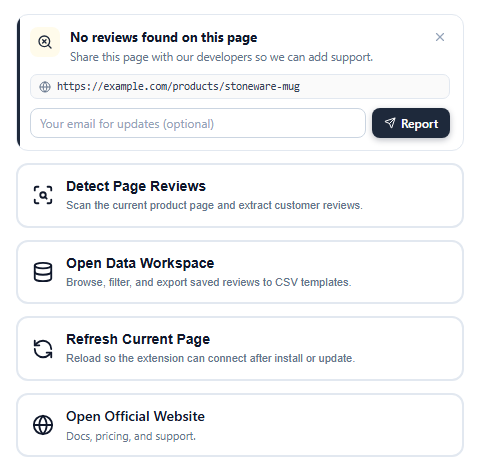
Use the symptom to choose the next step
- The page is still loading. Wait for review cards to appear. Refreshing repeatedly can restart the widget's loading cycle.
- The extension cannot connect to the page. After installing or updating, reload the storefront tab so it receives the current page script. Check Chrome's site access for the store, then run detection again.
- A source appears, but it belongs to another product. Inspect the available sources before starting. Check the handle and source page in the saved task.
- The visible Loox list still yields no source. Use the missing-page report in the popup. Include the public product URL and tell support whether reviews were already visible. Reporting sends feedback; a successful capture will appear separately under Scrape Tasks.
Related guides · Get started with Loox Reviews Exporter for Chrome · Resume an interrupted Loox review export
Sources · Browser Addons · Widget detection · Loox Reviews Exporter